
What is Grow a Garden 2?
Grow a Garden 2 is a casual farming and progression-based Roblox game where players build and expand their own garden by planting seeds, harvesting crops, and upgrading their land. The main idea of the game is to grow your garden into a powerful farming setup while managing resources efficiently.
As players progress, they unlock better seeds, pets, and upgrades that help automate farming and increase profits. The game mixes relaxed farming mechanics with progression systems that keep players engaged for long sessions.
Gameplay Overview
In Grow a Garden 2, players start with a small plot of land and basic seeds. The early gameplay focuses on planting, waiting for crops to grow, and selling them to earn in-game currency.
As you earn more money, you can expand your garden, unlock new seeds, and automate parts of the farming process. The game gradually shifts from manual farming to a more efficient system where upgrades and tools play a big role.
The core loop is simple: plant → grow → harvest → sell → upgrade → repeat.
Main Features
The game includes a wide range of farming and progression systems that make it more engaging than a basic simulator:
- Crop planting and harvesting system
- Garden expansion mechanics
- Seed and upgrade progression system
- Pet system for boosting performance
- Automation features for farming efficiency
These mechanics work together to create a smooth progression experience where every upgrade improves your farming speed and income.
Script Features
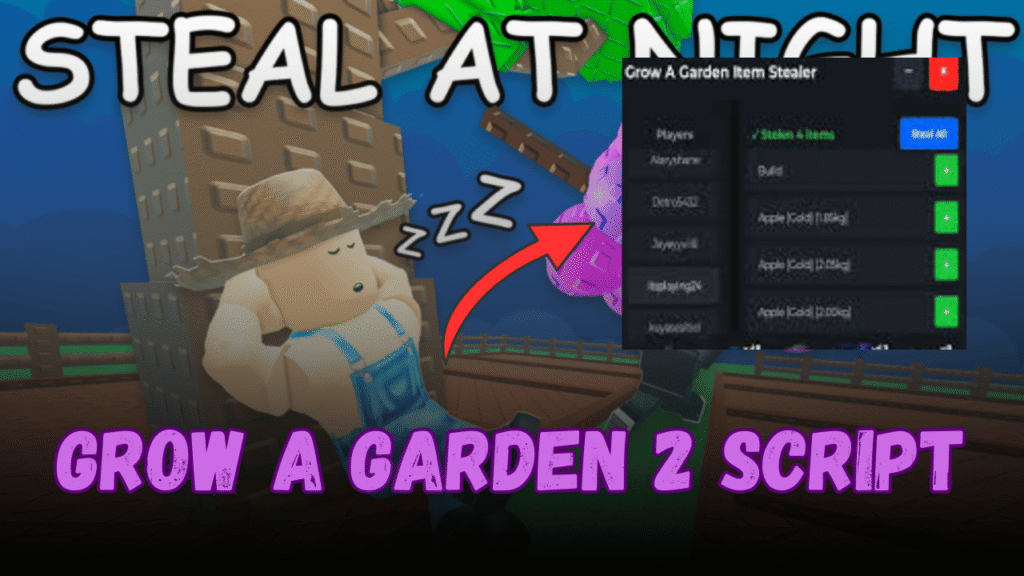
This script is designed as a keyless automation hub that improves farming efficiency in Grow a Garden 2. It provides a full set of automated systems that handle planting, harvesting, selling, and upgrades without requiring manual effort.
| Feature | Benefit |
|---|---|
| Auto Harvest | Collects crops automatically |
| Auto Plant | Keeps garden continuously active |
| Auto Sell | Converts crops into money instantly |
| Auto Upgrade | Expands garden and boosts efficiency |
| Auto Steal (Night) | Helps gain extra resources |
| Serverhop System | Finds better servers for farming |
Overall, the script focuses on full automation and faster progression with minimal player input.
- Keyless execution for easy access
- Built-in UI for smooth navigation
- Supports both mobile and PC
How the Script Improves Gameplay
This script changes the gameplay experience by removing most of the repetitive farming tasks. Instead of manually planting and harvesting, players can focus on upgrading and expanding their garden while automation handles the rest.
- Speeds up farming and income generation
- Reduces manual grinding
- Helps unlock upgrades faster
- Improves overall efficiency
Tips for Faster Progress
- Focus on expanding your garden early
- Always reinvest profits into better seeds
- Use pets to boost farming output
- Prioritize upgrades that increase harvesting speed
- Stay active during early progression stages
Why This Game is Popular
Grow a Garden 2 is popular because it offers a relaxing yet addictive farming experience. Players enjoy watching their small garden turn into a massive automated system over time.
- Simple and relaxing gameplay loop
- Strong progression system
- Satisfying upgrade and expansion mechanics
- Automation makes long-term play easier
Grow a Garden 2 Script
loadstring(game:HttpGet("https://pastefy.app/K4wz2Fmt/raw"))()Conclusion
Grow a Garden 2 delivers a smooth farming progression experience where players slowly build and automate their garden. The mix of upgrades, pets, and expansion keeps gameplay interesting, while the script adds automation that speeds up progress significantly. Overall, it creates a more efficient and less repetitive farming journey for players.