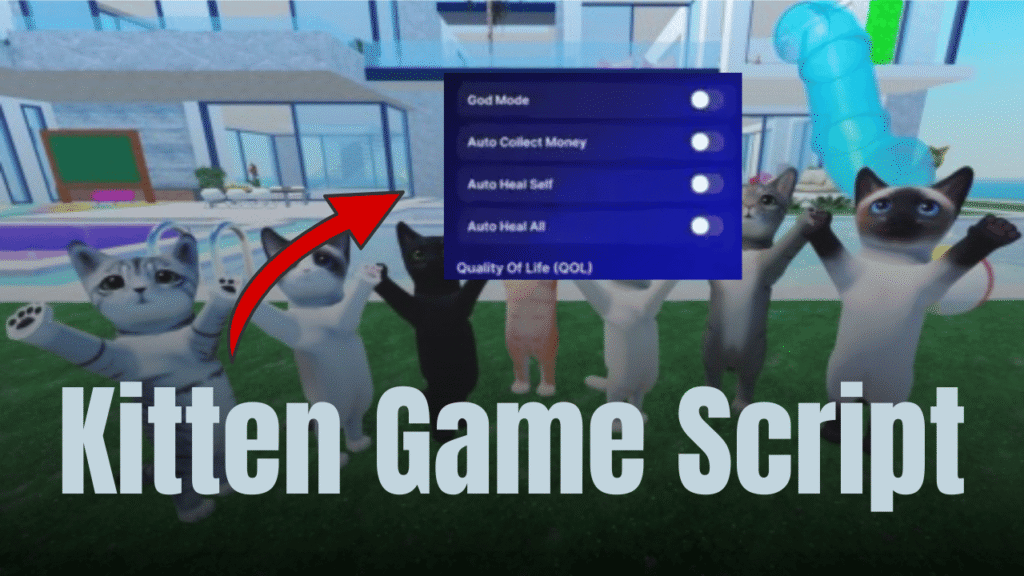
What is Kitten Game?
Kitten Game is a simple Roblox experience where players explore and interact with different in-game objects while collecting rewards like minichests. The main idea of the game is based on movement, searching, and farming small rewards that appear across the map. It is designed in a way that keeps players active, as progress depends on how efficiently they can find and collect these items.
The game feels light and casual, making it easy for beginners to understand without any complicated mechanics. Most of the gameplay revolves around exploring the environment and gathering resources faster than others.
Gameplay Overview
In Kitten Game, players usually move around the map looking for minichests that spawn in different locations. These minichests act as the main source of progress, so collecting them is the key goal during gameplay.
As you continue playing, you start learning spawn patterns and locations, which helps you improve your farming speed. The more minichests you collect, the faster your progress becomes in the game.
The gameplay loop is very straightforward and repeats in a smooth cycle: explore, find minichests, collect, and repeat. This makes the game easy to play even for long sessions.
Main Features
Kitten Game focuses on simple mechanics that keep the experience smooth and beginner-friendly. The core system is built around exploration and reward collection.
Some of the main mechanics include:
- Minichest spawning across different map locations
- Player movement-based exploration system
- Simple interaction-based collection system
- Lightweight performance for smooth gameplay
- Repetitive farming loop for steady progress
These features make the game easy to understand and quick to get into without any learning curve.
Script Features
The script for Kitten Game is designed to automate the process of farming minichests. It helps players move between chest locations automatically, reducing the need for manual searching and improving farming efficiency.
Here is a simple breakdown of its main functions and benefits:
| Feature | Benefit |
|---|---|
| Auto Teleport | Instantly moves player to chest locations |
| Chest Detection | Finds available minichests in the map |
| Loop System | Continuously farms without stopping |
| GUI Control Panel | Easy start/stop control for users |
| Error Handling | Prevents script crashes during gameplay |
This script mainly focuses on automation and smoother farming experience.
- Includes draggable GUI for easy control
- Simple toggle system for starting and stopping
- Automatically searches workspace for chest objects
How the Script Improves Gameplay
This script significantly improves the overall farming process by removing the need for manual searching. Instead of running around the map, players are directly teleported to minichests, making progression much faster.
It also helps reduce time waste and increases efficiency during long play sessions.
- Saves time by automating movement
- Improves farming speed dramatically
- Reduces manual effort and repetitive searching
- Keeps gameplay consistent and continuous
Tips for Faster Progress
- Stay active in the game to maximize chest collection
- Learn common chest spawn areas for better understanding
- Use efficient movement strategies during manual play
- Focus on consistent farming rather than random exploration
Why This Game is Popular
Kitten Game is popular because it offers a simple and relaxing farming experience. Players enjoy the easy gameplay loop where progress feels smooth and rewarding without complex mechanics.
It also attracts players who like casual grinding games where they can improve gradually over time.
Some key reasons include:
- Easy-to-understand gameplay
- Fast reward system through minichests
- Lightweight and beginner-friendly design
Kitten Game Script
local Players = game:GetService("Players")
local Workspace = game:GetService("Workspace")
local UserInputService = game:GetService("UserInputService")
local player = Players.LocalPlayer
local TeleportDelay = 2
local running = false

local ScreenGui = Instance.new("ScreenGui")
ScreenGui.Name = "AutoTeleportGUI"
ScreenGui.Parent = player.PlayerGui

local Frame = Instance.new("Frame")
Frame.Size = UDim2.new(0, 200, 0, 80)
Frame.Position = UDim2.new(0.5, -100, 0, 10)
Frame.BackgroundColor3 = Color3.fromRGB(40, 40, 40)
Frame.BorderSizePixel = 0
Frame.Active = true
Frame.Draggable = true
Frame.Selectable = true
Frame.Parent = ScreenGui

local DragHandle = Instance.new("TextLabel")
DragHandle.Name = "DragHandle"
DragHandle.Text = "Kitten game"
DragHandle.Size = UDim2.new(1, 0, 0, 25)
DragHandle.Position = UDim2.new(0, 0, 0, 0)
DragHandle.BackgroundColor3 = Color3.fromRGB(60, 60, 60)
DragHandle.TextColor3 = Color3.fromRGB(255, 255, 255)
DragHandle.Font = Enum.Font.SourceSansBold
DragHandle.TextSize = 12
DragHandle.Parent = Frame

local CloseButton = Instance.new("TextButton")
CloseButton.Name = "CloseButton"
CloseButton.Text = "X"
CloseButton.Size = UDim2.new(0, 25, 0, 25)
CloseButton.Position = UDim2.new(1, -25, 0, 0)
CloseButton.BackgroundColor3 = Color3.fromRGB(200, 60, 60)
CloseButton.TextColor3 = Color3.fromRGB(255, 255, 255)
CloseButton.Font = Enum.Font.SourceSansBold
CloseButton.TextSize = 14
CloseButton.Parent = Frame

local ToggleButton = Instance.new("TextButton")
ToggleButton.Size = UDim2.new(0.8, 0, 0, 30)
ToggleButton.Position = UDim2.new(0.1, 0, 0.5, 0)
ToggleButton.Text = "Включить"
ToggleButton.BackgroundColor3 = Color3.fromRGB(70, 70, 70)
ToggleButton.TextColor3 = Color3.fromRGB(255, 255, 255)
ToggleButton.Parent = Frame

local function getHumanoidRootPart()
    local character = player.Character
    if not character then
        character = player.CharacterAdded:Wait()
    end
    return character:WaitForChild("HumanoidRootPart")
end

local function FindDesks()
    local desks = {}

    for i = 2, 7 do
        local desk = Workspace:FindFirstChild("chest_"..i, true)
        if desk and desk:IsA("BasePart") then
            table.insert(desks, desk)
        end
    end

    if #desks == 0 then
        for _, desc in ipairs(Workspace:GetDescendants()) do
            if desc:IsA("BasePart") then
                local lowerName = desc.Name:lower()
                if lowerName:find("chest_") or lowerName:find("chest_") or lowerName:find("chest_") then
                    table.insert(desks, desc)
                end
            end
        end
    end

    return desks
end

local function teleportLoop()
    while running do
        local success, err = pcall(function()
            local humanoidRootPart = getHumanoidRootPart()
            local desks = FindDesks()

            if #desks > 0 then
                local randomDesk = desks[math.random(1, #desks)]
                humanoidRootPart.CFrame = randomDesk.CFrame * CFrame.new(0, 3, 0)
                print("[TELEPORT] Moved to "..randomDesk.Name)
            else
                warn("[WARNING] No desks found! Retrying...")
            end
        end)

        if not success then
            warn("[ERROR] "..tostring(err))
        end

        task.wait(TeleportDelay)
    end
end

ToggleButton.MouseButton1Click:Connect(function()
    running = not running
    if running then
        ToggleButton.Text = "Выключить"
        ToggleButton.BackgroundColor3 = Color3.fromRGB(200, 60, 60)
        coroutine.wrap(function()
            local success, err = pcall(teleportLoop)
            if not success then
                warn("[CRITICAL ERROR] "..tostring(err))
            end
        end)()
    else
        ToggleButton.Text = "Включить"
        ToggleButton.BackgroundColor3 = Color3.fromRGB(70, 70, 70)
    end
end)

CloseButton.MouseButton1Click:Connect(function()
    ScreenGui:Destroy()
    running = false
end)
Conclusion
Kitten Game offers a simple and relaxing farming experience where players focus on collecting minichests and progressing step by step. The gameplay is easy to understand, and the script adds automation that makes farming faster and more efficient. Overall, it is a casual game that works well for players who enjoy steady grinding and smooth progression.